
UK car history check only £9.99 – check any vehicle instantly
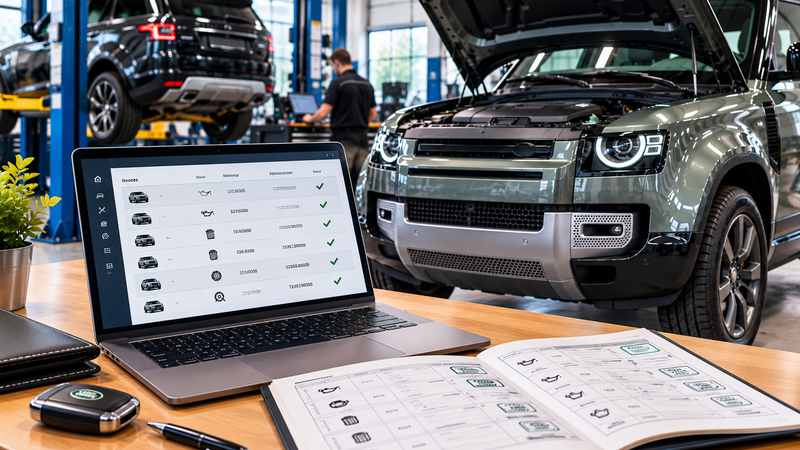
A Land Rover can look immaculate and still hide an expensive gap in its paperwork. Air suspension, four-wheel-drive systems and modern diesel emissions equipment all need the right maintenance at the right time. That makes the service history one of the most important things to check on a used Defender, Discovery or Range Rover.
The short answer
Land Rovers built from 1 July 2013 and serviced at an Approved Service Centre have a digital record called Online Service History (OSH). There are four main ways to check it:
Online Service History (OSH) is Land Rover's digital replacement for the stamped service book. Land Rover UK says it is available for vehicles built from 1 July 2013 that have been seen at an Approved Service Centre. Each visit to an approved centre updates the record against the vehicle's VIN.
For buyers, the big advantage is that the record stays with the car rather than the owner. A paper book can be lost, left behind or filled in carelessly. A digital record created by the approved network is much harder to lose or alter. The catch is that it only shows work done inside that network, which is why the rest of this guide matters.
| Usually included | Usually not included |
|---|---|
| Pre-delivery inspection when the vehicle was new | Servicing by independent Land Rover specialists |
| Scheduled services at Approved Service Centres | Work at fast-fit chains or general garages |
| Related service items and body inspections | DIY maintenance, even with genuine parts |
| Dates, mileages and the centre that did the work | Vehicles built before 1 July 2013 |
So a sparse online record doesn't automatically mean a neglected car. Plenty of Land Rovers are looked after by excellent independent specialists once the warranty runs out. In those cases the invoices are the evidence.
Many connected Land Rovers also show service-due information on the dashboard or in the Land Rover app. That tells you when the next service is due, not the full history.
Jaguar and Land Rover share the same JLR service records system, so any authorised Land Rover or Jaguar retailer can look up a vehicle's record from the VIN. If you are buying, the simplest route is to ask the seller to get a printout from a retailer before your viewing. A seller with nothing to hide should be happy to do this.
Land Rover's official Online Service History website and authorised retailers use the vehicle's VIN to look up service records. When browsing adverts, you may not have the VIN to hand, but the registration plate is usually visible in the photos or listing. Our Land Rover service history check lets you check available service records using just the registration. The records returned depend on the information available for that vehicle, and servicing carried out by independent garages may not appear. This helps you review the available information before deciding which vehicles are worth viewing.
Whatever the digital record shows, ask for the service book and every invoice. An itemised invoice shows what was actually done and which parts and fluids were used, which a stamp can't. Then compare dates and mileages against the MOT history using our MOT check. The MOT record is independent, so it is a useful cross-check on service mileages. Repeated advisories, for example on suspension, leaks or corrosion, also tell you which repairs to look for in the invoices.
Land Rover service intervals vary by model, engine, model year and driving conditions. Many models show the next service due on the dashboard, but this is not a substitute for checking the owner's handbook or official service schedule for the specific vehicle.
When you read the history, pay attention to three types of item:
Every Land Rover needs regular servicing, but each model has its own items worth looking for in the records. Use this as a starting point and ask a specialist about the exact engine and year.
| Model | Worth looking for in the history |
|---|---|
| Range Rover (L405 and L460) | Air suspension inspections or repairs, software updates and recall work, and an unbroken run of services. Repair costs on these cars make a strong history especially valuable. |
| Range Rover Sport | Air suspension evidence, regular servicing and, on higher-mileage cars, whether the automatic gearbox fluid has ever been changed. Specialists often recommend this even where the schedule doesn't. |
| Range Rover Evoque and Velar | Software updates and recall work, and DPF-related visits on diesels used mostly in town. On four-wheel-drive versions, check the drivetrain servicing. |
| Defender (2020 onwards) | Software updates alongside services, AdBlue and DPF records on diesels, and air suspension history where fitted. Ask whether it has been used for towing or off-road. |
| Discovery 5 | Air suspension evidence, differential and transfer box oil changes on higher-mileage cars, and DPF and AdBlue records on diesels. |
| Discovery 3 and 4 | Usually specialist-maintained by now, so expect invoices rather than online entries. Look for air suspension work and ask a specialist about known concerns with the specific engine. |
| Discovery Sport and Freelander 2 | Often a mix of dealer and independent servicing. On the Freelander 2, look for Haldex coupling oil changes at around 40,000-mile intervals. A high-mileage car without one deserves a specialist inspection. |
Replaced parts are not necessarily a warning sign. A recent invoice for air springs or a compressor can mean the expensive job has already been done. What deserves questions is an obvious problem that keeps coming back in MOT advisories with no evidence of a fix.
Production of the original Defender ended in 2016, and many examples on sale were built before July 2013. Those vehicles won't have an Online Service History record. The same applies to older Discovery, Freelander and Range Rover models. For these cars the paperwork is the history.
Put every record in date order, including online entries, invoices and MOTs. Note the date, mileage, garage and work done for each one. This simple timeline makes long gaps, duplicated entries and mileage that goes backwards easy to spot.
A gap doesn't prove neglect. The work may have been done by an independent garage, or the paperwork may have been lost. Ask which garage was used, and contact it if you can. If important maintenance can't be evidenced, factor the cost of doing it into your offer.
A mileage drop needs an explanation. If a later record shows fewer miles than an earlier one, it could be a typing error, but the seller should be able to back up their explanation with evidence. If it can't be resolved, get professional advice before buying.
A complete history doesn't guarantee condition. Paperwork shows what was recorded, not how the vehicle is today. Always combine it with an inspection and a test drive.
Questions to ask the seller
Buyers of used Land Rovers tend to be cautious, so a well-organised history can make a real difference to how quickly the car sells and what it sells for. Before listing, gather a current service record printout and all your invoices in date order. A recent MOT also helps. Have the documents ready to show at viewings, and be upfront about any independent servicing. Clear evidence answers questions before buyers have to ask them.
Which Land Rovers have an online service history?
Land Rover UK says Online Service History covers vehicles built from 1 July 2013 that have been seen at an Approved Service Centre. Older vehicles rely on the service book and invoices.
Can a Land Rover dealer check the service history?
Yes. Jaguar and Land Rover share the JLR service records system, so any authorised Land Rover or Jaguar retailer can look up the record using the VIN. If you are buying, ask the seller to get a printout before your viewing, or check it yourself by registration.
How often should a Land Rover be serviced?
Land Rover service intervals vary by model, engine, model year and driving conditions. Some maintenance items, such as brake fluid, may be time-based regardless of mileage. Check the owner's handbook or official service schedule for the specific vehicle.
Do independent garage services appear in Land Rover's records?
Not in the manufacturer's online record. Properly documented independent servicing is still valid evidence, though, so ask for itemised invoices.
How do I check the history of a classic Defender?
Most classic Defenders were built before Online Service History began. Rely on the service book, invoices, MOT history and a specialist inspection, with particular attention to chassis and bulkhead repairs.
Does a full service history guarantee a Land Rover is in good condition?
No. It shows recorded maintenance, not current condition. An inspection by a Land Rover specialist and a test drive are still essential.